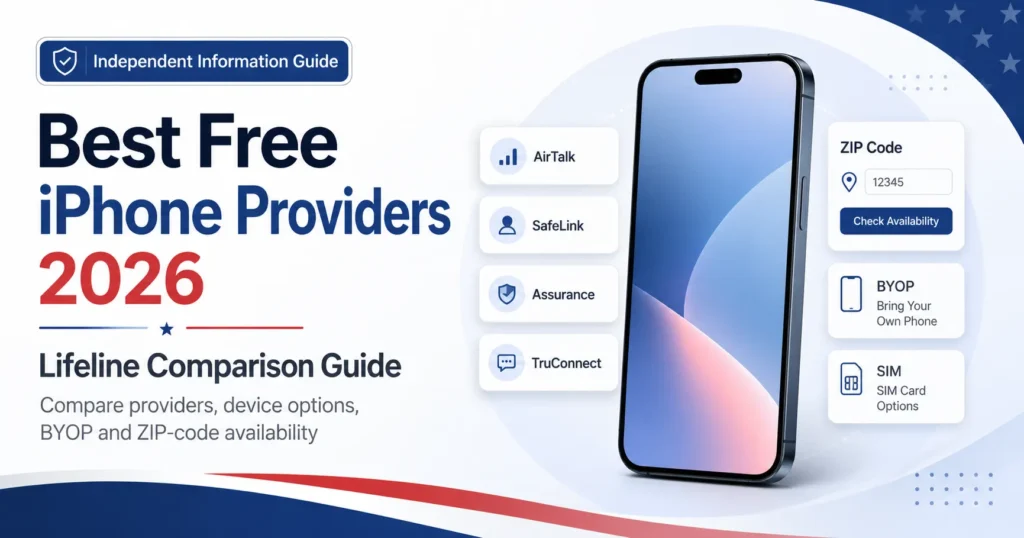
Looking for the best free iPhone providers? This independent guide compares Lifeline providers, Apple device visibility, BYOP options and possible costs. Start with our free or discounted iPhone information, then use this comparison to check which provider may serve your ZIP code.
A “free government iPhone” is an informal search phrase. Lifeline mainly reduces the cost of eligible phone or internet service. A participating provider may separately offer a free basic phone, discounted iPhone, refurbished device, physical SIM, eSIM or bring your own phone option.
The federal program does not guarantee an iPhone or a particular model. Device inventory, prices, plans and fees can change by state, ZIP code and date. Read our guide to how Lifeline phone offers work for a general explanation.
Updated information
- Last fact-checked: July 26, 2026
- Program discussed: Lifeline
- ACP status: Ended June 1, 2024
- Important limitation: Exact iPhone models are not guaranteed
- Website status: Independent information guide
Independent-site notice: FreeiPhonesWireless.com does not accept Lifeline applications, approve eligibility, verify documents, sell or ship phones, activate service, or represent the FCC, USAC, Apple or any wireless provider.
Quick answer: Which Lifeline providers may show iPhones?
Among the Lifeline providers checked on July 26, 2026, AirTalk Wireless has the clearest public Apple device catalogue, with some models shown at $0, paid or region-based prices. SafeLink and TruConnect display paid Apple phones. Assurance, Life Wireless, enTouch and StandUp are mainly service or BYOP options. Cintex now redirects new applicants to AirTalk. No exact iPhone is guaranteed.
Key takeaways
How we compared the providers
This article was checked using official FCC, USAC and provider pages available on July 26, 2026. Providers were compared using the following points:
- Current Lifeline participation information
- State and ZIP-code limitations
- Phone, SIM, eSIM and BYOP options
- Public Apple device listings
- Free, discounted and paid phone pricing
- Device condition and ownership terms
- Shipping, activation and possible upgrade charges
- Application and support information
We did not submit applications, order devices, test delivery times or receive phones from any provider. Provider websites can change after the date checked, so the final official offer for your ZIP code should be treated as the current offer.
What changed in 2026?
Cintex is merging with AirTalk
The current Cintex application page says Cintex is merging with AirTalk. New applicants may be redirected to AirTalk to complete enrollment.
Q Link Wireless is not included
Q Link Wireless was permanently debarred from federal Lifeline participation effective December 5, 2025. See the official USAC investigation documents.
ACP remains closed
The Affordable Connectivity Program ended on June 1, 2024. The FCC warns consumers that some websites still advertise ACP enrollment or collect information using outdated ACP language.
Best free iPhone providers compared
This table separates verified Apple-device visibility from service, SIM and BYOP offers. It does not declare an overall winner because availability and pricing can change for each ZIP code.
| Provider | Lifeline status | Typical offer | Apple visibility | BYOP or SIM | Geographic limit | Main caution | Best suited for |
|---|---|---|---|---|---|---|---|
| AirTalk Wireless | Current Lifeline information found | $0 devices, discounted upgrades and service | Strong device visibility | BYOP available | State and ZIP-code dependent | Stock, price, condition and ownership terms can change | People who want to view Apple choices |
| Cintex Wireless | Transitioning toward AirTalk | New enrollment may redirect to AirTalk | Separate current catalogue unclear | Confirm after redirect | Depends on AirTalk service area | Not a fully separate new-customer comparison | Existing customers and merger research |
| SafeLink Wireless | Current Lifeline pages found | Service, possible phone, BYOP and paid devices | Paid Apple shop visible | BYOP and SIM supported | Confirm by ZIP code | Retail Apple listings are not proof of a free iPhone | Service and BYOP users |
| Assurance Wireless | Current Lifeline plans found | Free service, BYOP or low-cost phone | No verified model-specific iPhone offer | BYOP supported | Plan depends on state and eligibility | A basic smartphone is not necessarily an iPhone | People prioritizing monthly service |
| enTouch Wireless | Current Lifeline enrollment pages found | Phone, SIM-only, BYOP or location-based offer | No current Apple model verified | BYOP supported | State and plan dependent | Confirm whether the offer includes a phone or only a SIM | Local service or SIM users |
| Life Wireless | Current state plan pages found | Free service and BYOP | No current Apple catalogue verified | BYOP promoted | Plan and data vary by state | Free service does not mean a phone is included | People with a compatible unlocked phone |
| StandUp Wireless | Current Lifeline and BYOD pages found | Monthly service and BYOD | Apple models shown for compatibility | BYOD and number transfer supported | Check availability and IMEI | Compatibility list is not a phone catalogue | Users with an unlocked iPhone |
| TruConnect | Current Lifeline and device resources found | Lifeline service plus paid phone shop | Paid Apple catalogue visible | Confirm through current service pages | Verify state and ZIP code | Paid shop inventory is not a free Lifeline offer | Users willing to buy a pre-owned iPhone |
AirTalk Wireless
AirTalk Wireless offers Lifeline-supported service in eligible areas. Its website has one of the clearest public catalogues of Apple and Android devices among the providers reviewed.
Some Apple models may appear at $0, while other phones are shown at a paid or region-based price. The model visible on a general catalogue page may not appear after you enter your state or ZIP code.
Main advantage
Strong public visibility into Apple device choices.
Main limitation
Price, stock, storage, condition and ownership terms can change.
What AirTalk may provide
- Lifeline-supported monthly service
- A $0 phone for some eligible customers
- Apple and Android device listings
- Discounted or paid phone upgrades
- BYOP service
- State and ZIP-code availability checks
Device ownership warning: AirTalk’s current device terms say that some subsidized devices require 180 consecutive days of active AirTalk service before full ownership transfers. Read the terms before selecting a phone.
Verify: Exact model, storage, device condition, price, shipping, activation, warranty, return policy and ownership conditions.
Read our detailed AirTalk Wireless free iPhone guide.
Official sources checked: AirTalk Wireless and AirTalk device terms. Checked July 26, 2026.
Cintex Wireless
Cintex should not be presented as a completely separate new-customer alternative to AirTalk. Its current application page says that Cintex is merging with AirTalk and may redirect new users to AirTalk.
Older Cintex pages may contain ACP references, limited-time wording or instant-approval language. ACP has ended, and eligibility approval cannot be guaranteed.
What readers should understand
- Existing customers may still use Cintex account or support pages.
- New applicants may be redirected to AirTalk.
- An older Cintex phone listing does not prove current availability.
- The final AirTalk offer may control the available phone and price.
Main limitation: A current, separate Cintex-only iPhone catalogue could not be clearly verified.
Read our updated Cintex Wireless review.
Official source checked: Cintex enrollment page. Checked July 26, 2026.
SafeLink Wireless
SafeLink provides Lifeline enrollment, ZIP-code checking and BYOP support. Its official BYOP information says eligible customers may use a compatible unlocked phone and receive a SIM kit.
A separate SafeLink-authorized retail shop displays paid Apple devices. These retail phones should not be confused with a free Lifeline phone offer.
- Lifeline-supported service
- Possible phone offer depending on location
- BYOP and physical SIM support
- Paid phones through an authorized retailer
Apple visibility: Apple phones were verified as paid retail products. A free Apple model was not guaranteed.
Official sources checked: SafeLink Wireless, SafeLink BYOP information and SafeLink authorized retail shop. Checked July 26, 2026.
Assurance Wireless
Assurance Wireless publishes current Lifeline plan information and supports BYOP. Its standard Lifeline plan currently shows unlimited talk and text with 10GB of high-speed data in most listed areas. California plan details may differ.
Assurance also allows eligible users to bring a compatible phone or buy a low-cost phone. The reviewed plan pages did not guarantee a particular iPhone model.
Main advantage: Clear monthly plan and data information.
Main limitation: The service is easier to verify than a specific Apple device offer.
Official source checked: Assurance Wireless plans. Checked July 26, 2026.
enTouch Wireless
enTouch Wireless has current Lifeline enrollment and availability pages. Depending on the state and plan, the offer may involve a phone, physical SIM or BYOP service.
No current Apple model was clearly displayed in the official offer reviewed for this comparison. Readers should not assume that an iPhone is included.
Main advantage: Different plan paths may be available for local service, SIM or BYOP users.
Main limitation: You must confirm whether the local offer includes a device or only service.
Official source checked: enTouch Wireless. Checked July 26, 2026.
Life Wireless
Life Wireless publishes Lifeline plans for multiple states and territories. Its official plan page describes unlimited talk and text with high-speed data that varies by state.
Life Wireless also promotes BYOP. No current official Apple-device catalogue was verified on the reviewed plan page.
Main advantage: A useful service option for people who already own a compatible unlocked iPhone.
Main limitation: Free monthly service does not automatically include a free phone.
Official source checked: Life Wireless plans by state. Checked July 26, 2026.
StandUp Wireless
StandUp Wireless supports BYOD and number transfers. Its compatibility page lists several Apple models that may work with the network.
The compatibility list is not a list of phones supplied by StandUp. An IMEI check is still required, and a compatible phone may also need to be unlocked.
Main advantage: Useful for people who already own an unlocked iPhone.
Main limitation: A listed compatible iPhone is not a free device offer.
Official source checked: StandUp BYOD and number-transfer page. Checked July 26, 2026.
TruConnect
TruConnect maintains Lifeline-related account resources and a separate device shop. The shop currently displays paid Apple phones in new, pre-owned or reconditioned condition, depending on the model.
These are paid retail devices. Their presence does not prove that the same phone is available free through a Lifeline enrollment.
Main advantage: Clear paid Apple-device visibility for users willing to purchase a phone.
Main limitation: Service eligibility, phone purchase and device condition must be checked separately.
Official sources checked: TruConnect service information and TruConnect pre-owned phones. Checked July 26, 2026.
AirTalk vs Cintex in 2026
AirTalk and Cintex still appear together in many searches, but they are no longer two clearly separate enrollment choices for new customers.
| Comparison point | AirTalk Wireless | Cintex Wireless |
|---|---|---|
| Application path | Direct AirTalk enrollment and ZIP check | May redirect new applicants to AirTalk |
| Device catalogue | Public Apple and Android listings | Separate current catalogue unclear |
| iPhone visibility | Some $0, paid or region-based Apple listings | Older references may not represent the current offer |
| Upgrade price | Depends on model, location and stock | Redirected applicants should check AirTalk pricing |
| Coverage | Varies by state and ZIP code | New-customer availability may depend on AirTalk |
| BYOP | BYOP information available | Confirm through current support or redirected offer |
| Main caution | Changing stock and device terms | Merger and older ACP wording |
Direct answer: AirTalk currently provides the clearer new-customer phone comparison. Cintex remains relevant for existing customers, account questions and merger searches, but it should not be treated as a fully independent alternative while new applicants are being redirected.
What does “free” really mean?
$0 device
The phone is shown at $0 under the stated eligibility, location and service conditions. Other terms may still apply.
Discounted device
The phone costs less than the listed retail price, but the customer still pays part of the cost.
Upgrade payment
A basic phone may cost $0 while an iPhone or newer model requires an additional payment.
Refurbished or pre-owned
The phone has been previously owned or prepared for resale. Check its condition, battery, warranty and return policy.
Free monthly service
The eligible service plan has no standard monthly charge. This does not automatically include a free phone.
Shipping or activation charge
A $0 phone can still produce a checkout balance if shipping, activation, taxes or state charges apply.
SIM-only offer
The provider supplies service and a physical SIM or eSIM, but no phone is included.
BYOP offer
You use your own unlocked and compatible phone with the provider’s Lifeline service.
If monthly data is more important than the phone, compare our Lifeline data and unlimited-plan guide.
Who may qualify for Lifeline?
A household may qualify through income or participation in an eligible assistance program. The standard 2026 income route is household income at or below 135% of the applicable Federal Poverty Guidelines.
Common program-based qualification routes include:
- SNAP
- Medicaid
- Supplemental Security Income
- Federal Public Housing Assistance
- Veterans Pension or Survivors Benefit
People on qualifying Tribal lands may also qualify through certain Tribal assistance programs. Check the current requirements through USAC’s official Lifeline qualification page.
One benefit per household: Lifeline generally allows one service discount per household. Eligibility does not guarantee enrollment with a particular provider, a phone or an iPhone model.
If proof is requested, the application system may ask for identity, income, program participation, address or household documents. Review the official USAC supporting documents guide.
You can also use our Lifeline documents checklist as a simple preparation guide.
Provider-selection checklist
Why provider offers change by state and ZIP code
Lifeline providers do not necessarily operate in every state or every part of a state. A provider may be approved in one area but unavailable in another.
State rules, local network coverage, provider authorization, inventory and current promotions can affect the plan and phone shown to you.
Use the official USAC Companies Near Me tool to search by ZIP code or city and state. USAC notes that the tool may not show every nearby provider, so you should also confirm participation directly with the company.
For more local guidance, use our state-by-state Lifeline iPhone guide. For a detailed state example, see our Illinois Lifeline phone and iPhone guide.
Red flags and scam prevention
- A social-media seller asking for documents through direct messages
- Payment requested through gift cards, cryptocurrency or wire transfer
- Guaranteed Lifeline approval
- A guaranteed newest-model iPhone
- A website pretending to be the FCC, USAC or a government agency
- A domain that copies a provider name but is not the official domain
- A form that does not use HTTPS
- A request to email identity documents to an unrelated address
- A countdown timer or false limited-stock warning
- A claim that every Medicaid or SNAP participant receives an iPhone
- A website still collecting information for a new ACP application
A safe step-by-step process
- Check Lifeline eligibility. Review current income and qualifying-program rules.
- Use the official verification route. Complete any required National Verifier or state verification through the authorized system.
- Find providers serving your ZIP code. Use USAC and official provider pages.
- Compare the real offer. Check whether it includes a phone, paid upgrade, SIM, eSIM or BYOP.
- Read the full terms. Check device price, condition, shipping, activation, data, warranty, returns and ownership rules.
- Submit information only through an official route. Do not submit applications or identity documents to FreeiPhonesWireless.com.
- Save your confirmation. Keep the provider name, plan, phone, price and confirmation details.
Compare iPhone model availability guides
Newer iPhones are more likely to require a payment. Older models may have a better chance of appearing at $0, but availability is never guaranteed.
Frequently asked questions
Which Lifeline provider offers the best iPhone selection?
AirTalk currently has the clearest publicly visible Apple catalogue among the reviewed Lifeline providers. That does not guarantee the same selection for every applicant. The better provider is the one that serves your ZIP code and clearly displays the model, condition, total price and service terms.
Can I choose the exact iPhone model?
Sometimes a provider allows device selection, but Lifeline does not guarantee a model. Inventory can change between the general catalogue, ZIP-code result and final enrollment screen. Confirm the exact model, storage, condition and price before accepting the offer.
Are newer iPhones really free?
A newer iPhone may occasionally appear under a provider promotion, but newer models commonly require an upgrade payment. Treat a $0 claim as unconfirmed until the official provider screen shows the exact model and final amount for your location.
Does Lifeline itself provide phones?
No. Lifeline is a federal benefit that lowers the monthly cost of qualifying phone or internet service. The participating provider manages the service and any phone offer under its own terms. USAC explains the roles of the FCC, USAC, providers and consumers on its About Lifeline page.
Can I switch Lifeline providers?
Yes. USAC says a consumer may transfer the Lifeline benefit to another participating provider. Contact the new provider and follow its transfer process. Your previous Lifeline service ends after the transfer because a household cannot use two discounts at the same time. See USAC’s change-company instructions.
Can I keep my phone number?
Many providers support number transfers. Keep the old number active until the new provider confirms the transfer. You may need the account number, transfer PIN or other details from your previous carrier.
Are refurbished iPhones legitimate?
A refurbished or pre-owned iPhone can be legitimate when the seller clearly discloses its condition, warranty and return policy. Check battery condition, unlocking status, cosmetic grade and what happens if the device arrives defective.
What if no iPhone appears for my ZIP code?
The provider may have no Apple inventory in your area, may offer only paid upgrades or may focus on Android and SIM-only service. Compare another legitimate provider serving the same ZIP code or use BYOP if you already own an unlocked iPhone.
Can I use my own iPhone with Lifeline?
Yes, when the provider supports BYOP and the iPhone is unlocked and compatible with its network. Use the provider’s official IMEI checker or support channel. Confirm physical SIM, eSIM, hotspot and number-transfer support before changing service.
Is AirTalk or Cintex better?
For new applicants in July 2026, AirTalk is the more useful comparison because Cintex says its enrollment process is merging with AirTalk. Existing Cintex customers may still need Cintex account, support or billing resources.
Do all Lifeline providers offer unlimited data?
No. Talk, text, high-speed data and hotspot allowances vary by provider, state and plan. Some plans use unlimited wording for talk and text but limit high-speed data. Read the current plan details and broadband label.
What documents may be requested?
The application system may request proof of identity, address, income, program participation or household status. Follow instructions from USAC, the National Verifier, your state system or the official provider. Do not send sensitive documents to an unrelated publisher or social-media seller.
Final conclusion
The best free iPhone providers are not determined by the largest phone image or strongest promise. Start with Lifeline eligibility, identify providers serving your ZIP code, and compare the exact device and service offer displayed through the official provider.
AirTalk currently has the clearest public Apple-device visibility. SafeLink and TruConnect show paid Apple choices, while Assurance, Life Wireless, enTouch and StandUp are more useful for service or BYOP comparisons. Cintex is moving new applicants toward AirTalk.
Before providing personal information, confirm the phone model, condition, total price, plan, fees, provider domain and ownership terms. Never assume that a “free government iPhone” headline guarantees an iPhone or any particular model.
About this independent guide
FreeiPhonesWireless.com publishes general information about Lifeline eligibility, provider choices, document preparation and device availability. Provider offers may change after the fact-check date.
We do not accept applications, determine eligibility, verify documents, sell or ship phones, activate service, or guarantee approval, pricing or any phone model.
Read our editorial approach, independent-site disclaimer and contact and corrections page.